> For the complete documentation index, see [llms.txt](https://wiki.mc-blaze.com/llms.txt). Markdown versions of documentation pages are available by appending `.md` to page URLs; this page is available as [Markdown](https://wiki.mc-blaze.com/guides/modpack-installation-guide.md).

# Install Pixelmon Plus+ & Cobblemon Plus+

How to install Pixelmon Plus+ (CurseForge) and Cobblemon Plus+ (CurseForge or Modrinth App), then join Blaze Gaming at play.mc-blaze.com.

{% hint style="info" %}
On our wiki, we use the following icons when features are restricted in some way. Below are the icons and what they mean:

* <img src="https://2752420689-files.gitbook.io/~/files/v0/b/gitbook-x-prod.appspot.com/o/spaces%2F97bxQeDEbdsPHKQYjy8g%2Fuploads%2FXz3NM72KbC0DLdVjDQpK%2Fcurseforge.png?alt=media&amp;token=e1edc82b-13ef-4a98-9f99-bf680cc543d2" alt="" data-size="line"> Blaze Modpack Required
* <img src="https://2752420689-files.gitbook.io/~/files/v0/b/gitbook-x-prod.appspot.com/o/spaces%2F97bxQeDEbdsPHKQYjy8g%2Fuploads%2Fl7bo2xXS2TzsoQHltFLc%2Fdiscord.png?alt=media&amp;token=3965e93c-679d-463a-9fd7-a148905eaae0" alt="" data-size="line"> Discord Server Exclusive
* <img src="https://2752420689-files.gitbook.io/~/files/v0/b/gitbook-x-prod.appspot.com/o/spaces%2F97bxQeDEbdsPHKQYjy8g%2Fuploads%2FyFLFulea1qXjDncCAH8u%2Fcobblemon.webp?alt=media&amp;token=a103e774-a2f3-43b1-966a-f12d1a3a0e99" alt="" data-size="line"> Cobblemon Server Exclusive
* <img src="https://2752420689-files.gitbook.io/~/files/v0/b/gitbook-x-prod.appspot.com/o/spaces%2F97bxQeDEbdsPHKQYjy8g%2Fuploads%2FdnowUpS7V9pD7ZvFOI32%2Fpixelmon.webp?alt=media&amp;token=33be6777-ff09-446b-b95a-705e0ae559b1" alt="" data-size="line"> Pixelmon Server Exclusive
  {% endhint %}

***

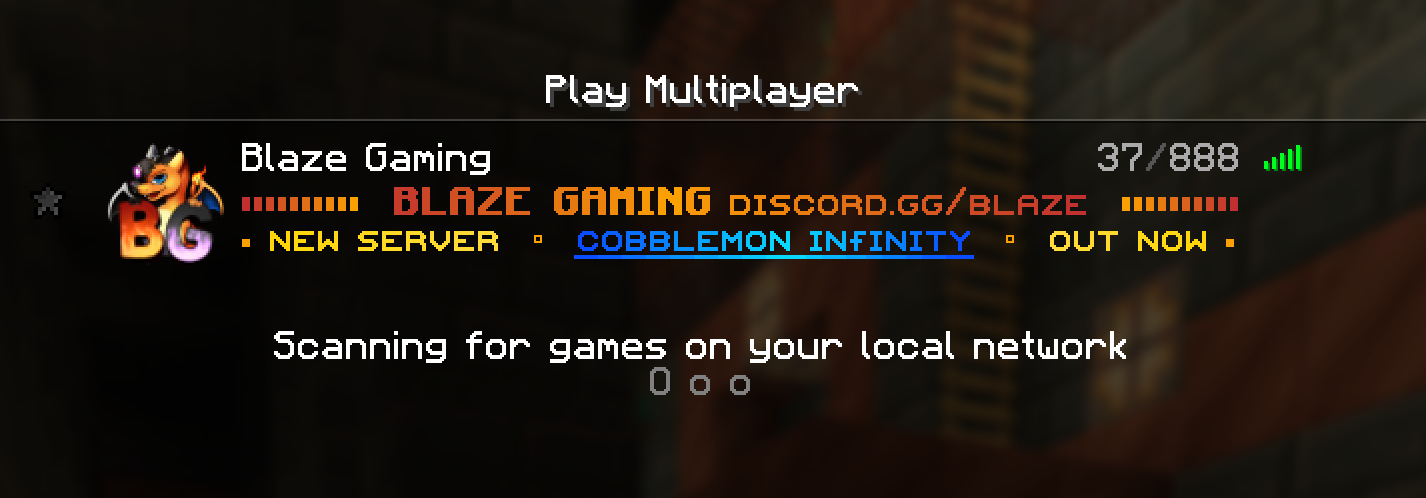
Blaze runs two Pokémon adventures, **Pixelmon** and **Cobblemon**. Pick one, install our free modpack for it, and launch the game: Blaze is already waiting in your server list, so all that's left is to click **Join**. If it isn't there, add <code class="expression">space.vars.SERVER\_IP</code> in **Multiplayer → Add Server**.

{% hint style="success" %}
**First-install rewards** <img src="https://2752420689-files.gitbook.io/~/files/v0/b/gitbook-x-prod.appspot.com/o/spaces%2F97bxQeDEbdsPHKQYjy8g%2Fuploads%2FXz3NM72KbC0DLdVjDQpK%2Fcurseforge.png?alt=media&amp;token=e1edc82b-13ef-4a98-9f99-bf680cc543d2" alt="Blaze Modpack Required" data-size="line">**:** play with our official modpack and you'll receive one-time modpack rewards the first time you join each server.
{% endhint %}

## Which modpack do I need?

Each server has its own modpack and mod loader, so install the one that matches the server you want to play on.

| Server                                                                                                                                                                                                                                                                                         | Season   | Mod loader | Minecraft version                                                 | Modpack         | Launchers                  |
| ---------------------------------------------------------------------------------------------------------------------------------------------------------------------------------------------------------------------------------------------------------------------------------------------- | -------- | ---------- | ----------------------------------------------------------------- | --------------- | -------------------------- |
| Pixelmon <img src="https://2752420689-files.gitbook.io/~/files/v0/b/gitbook-x-prod.appspot.com/o/spaces%2F97bxQeDEbdsPHKQYjy8g%2Fuploads%2FdnowUpS7V9pD7ZvFOI32%2Fpixelmon.webp?alt=media&amp;token=33be6777-ff09-446b-b95a-705e0ae559b1" alt="Pixelmon Server Exclusive" data-size="line">    | Storm V  | NeoForge   | <code class="expression">space.vars.PIXELMON\_MC\_VERSION</code>  | Pixelmon Plus+  | CurseForge                 |
| Cobblemon <img src="https://2752420689-files.gitbook.io/~/files/v0/b/gitbook-x-prod.appspot.com/o/spaces%2F97bxQeDEbdsPHKQYjy8g%2Fuploads%2FyFLFulea1qXjDncCAH8u%2Fcobblemon.webp?alt=media&amp;token=a103e774-a2f3-43b1-966a-f12d1a3a0e99" alt="Cobblemon Server Exclusive" data-size="line"> | Infinity | Fabric     | <code class="expression">space.vars.COBBLEMON\_MC\_VERSION</code> | Cobblemon Plus+ | Modrinth App or CurseForge |

## Why use our modpack?

Our official modpacks are built specifically for Blaze. They come with our [resource pack](/info-pages/resource-pack.md) built right in, include mods tailored to smooth out performance in single-player and multiplayer, add Blaze to your server list for you, and unlock one-time rewards the first time you join each server.

## Pixelmon Plus+ <img src="https://2752420689-files.gitbook.io/~/files/v0/b/gitbook-x-prod.appspot.com/o/spaces%2F97bxQeDEbdsPHKQYjy8g%2Fuploads%2FdnowUpS7V9pD7ZvFOI32%2Fpixelmon.webp?alt=media&amp;token=33be6777-ff09-446b-b95a-705e0ae559b1" alt="Pixelmon Server Exclusive" data-size="line">
<figure><img src="https://2752420689-files.gitbook.io/~/files/v0/b/gitbook-x-prod.appspot.com/o/spaces%2F97bxQeDEbdsPHKQYjy8g%2Fuploads%2FeEOCQQnUC4HgBsnGUwJJ%2Fpixelmon-plus-logo.webp?alt=media" alt="Pixelmon Plus+ modpack logo" width="120"><figcaption></figcaption></figure>

Our official Pixelmon modpack: Pokémon from generations 1 to 8 (with generation 9 still being filled in), thousands of custom textured Pokémon and a fully optimised setup, ready for the Blaze Pixelmon server. It runs through the free CurseForge app.

{% stepper %}
{% step %}

#### Download CurseForge

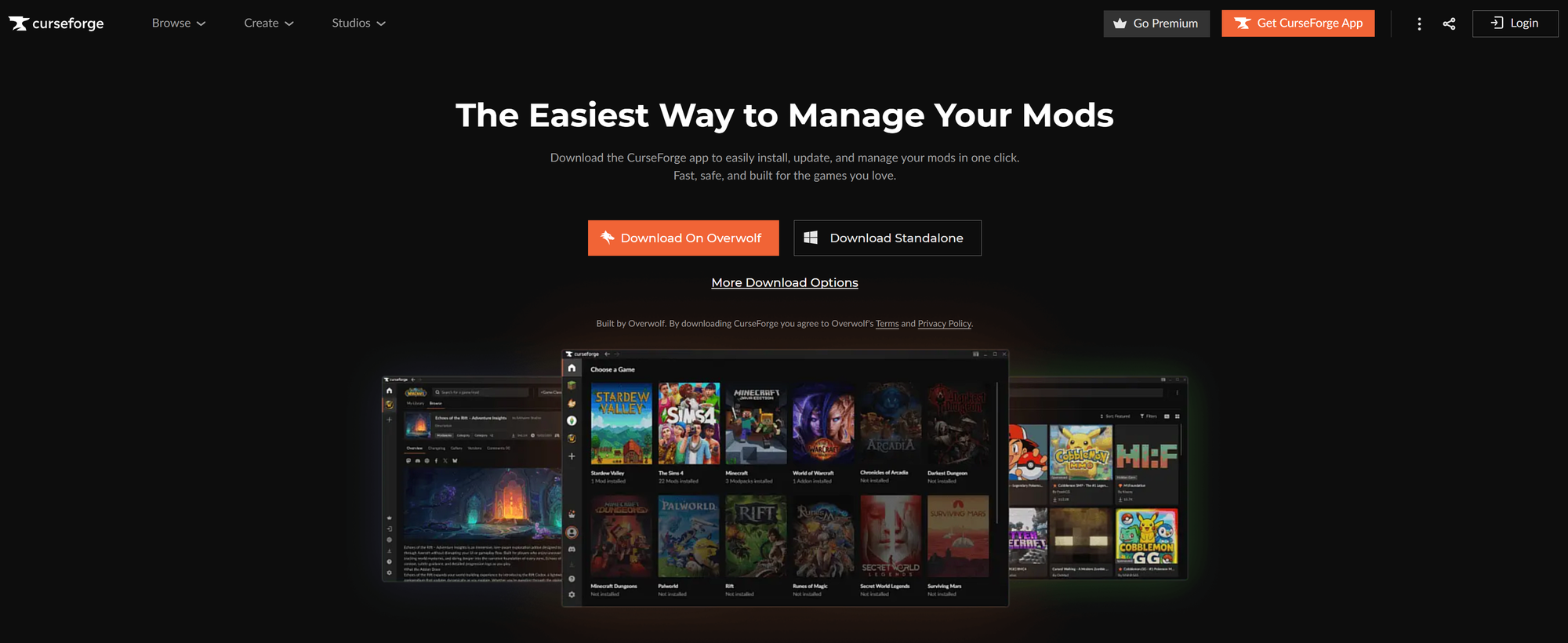
Our modpack is hosted on CurseForge. Download the free CurseForge app, install it, and sign in or continue as a guest.

<a href="https://www.curseforge.com/download/app" class="button secondary">Download CurseForge</a>

<div data-with-frame="true"><figure><img src="https://2752420689-files.gitbook.io/~/files/v0/b/gitbook-x-prod.appspot.com/o/spaces%2F97bxQeDEbdsPHKQYjy8g%2Fuploads%2F27niJ1WotDysm0xZ9iFQ%2Fcurseforge-download-page.png?alt=media" alt="The CurseForge app download page"><figcaption><p>Download the free CurseForge app</p></figcaption></figure></div>
{% endstep %}

{% step %}

#### Install Pixelmon Plus+

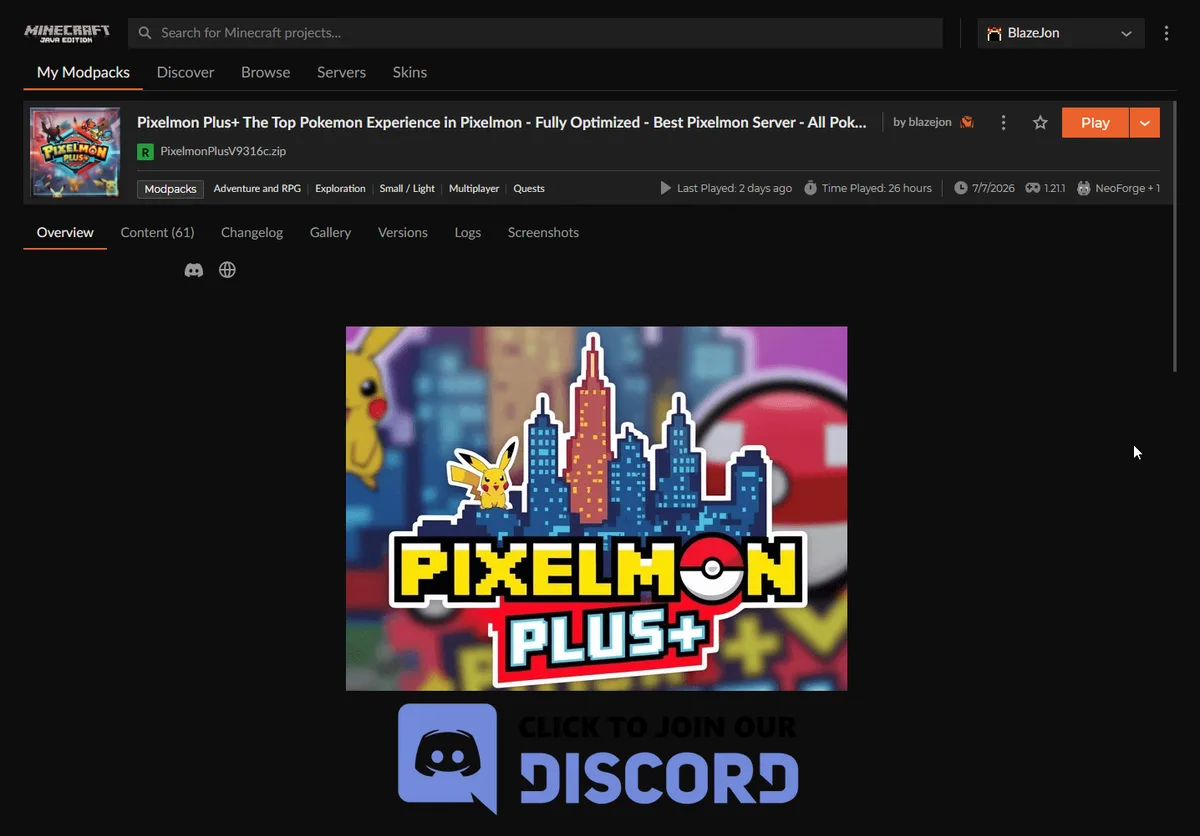
Open the modpack page with the button below, then hit **Install**. Use the button rather than searching, because other packs have similar names. CurseForge downloads everything for you (about 500 MB), so give it a minute.

<a href="https://www.curseforge.com/minecraft/modpacks/the-pixelmon-plus" class="button primary">Install Pixelmon Plus+</a>

<div data-with-frame="true"><figure><img src="https://2752420689-files.gitbook.io/~/files/v0/b/gitbook-x-prod.appspot.com/o/spaces%2F97bxQeDEbdsPHKQYjy8g%2Fuploads%2FGysuFErLW33vqLmVqUqo%2Fcurseforge-pixelmon-plus.webp?alt=media" alt="Pixelmon Plus+ in the CurseForge app"><figcaption><p>Pixelmon Plus+ in the CurseForge app</p></figcaption></figure></div>
{% endstep %}

{% step %}

#### Launch and join

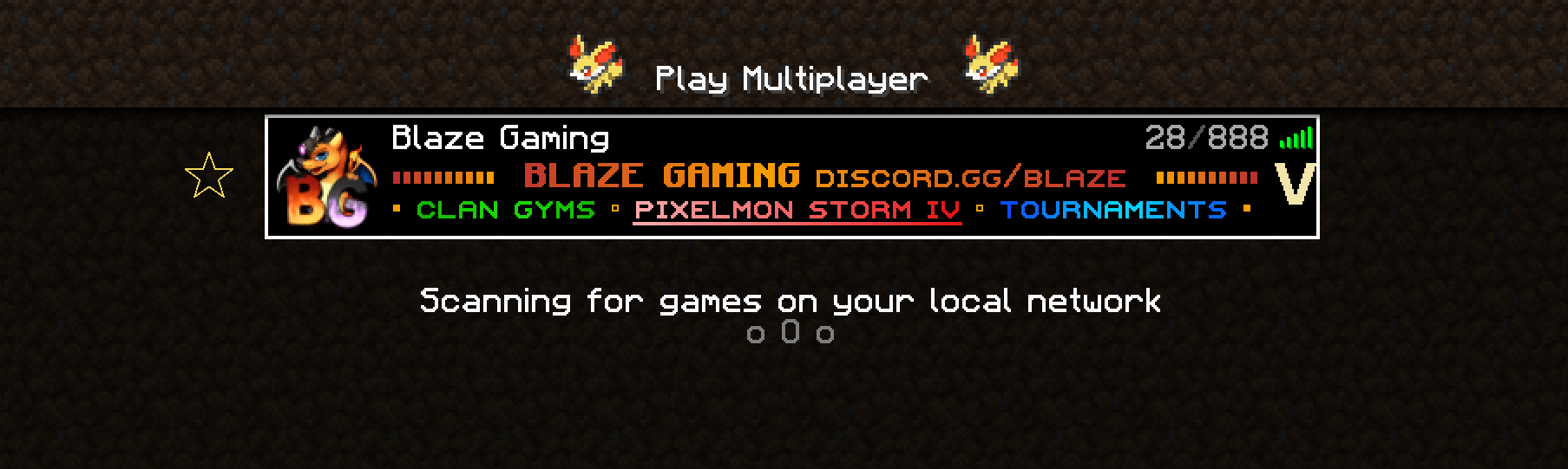
Press **Play** in CurseForge. Once Minecraft loads, open **Multiplayer**. **Blaze Gaming** is already in your server list, so just click it and **Join**. Your one-time modpack rewards are waiting on your first join.

<div data-with-frame="true"><figure><img src="https://2752420689-files.gitbook.io/~/files/v0/b/gitbook-x-prod.appspot.com/o/spaces%2F97bxQeDEbdsPHKQYjy8g%2Fuploads%2FG95X3gHNURuCdjWOlj61%2Fmultiplayer-pixelmon.png?alt=media" alt="Blaze Gaming in the Minecraft Multiplayer server list"><figcaption><p>Blaze Gaming is already in your Multiplayer list</p></figcaption></figure></div>
{% endstep %}
{% endstepper %}

## Cobblemon Plus+ <img src="https://2752420689-files.gitbook.io/~/files/v0/b/gitbook-x-prod.appspot.com/o/spaces%2F97bxQeDEbdsPHKQYjy8g%2Fuploads%2FyFLFulea1qXjDncCAH8u%2Fcobblemon.webp?alt=media&amp;token=a103e774-a2f3-43b1-966a-f12d1a3a0e99" alt="Cobblemon Server Exclusive" data-size="line">

<figure><img src="https://2752420689-files.gitbook.io/~/files/v0/b/gitbook-x-prod.appspot.com/o/spaces%2F97bxQeDEbdsPHKQYjy8g%2Fuploads%2FXUwl3GlW8bR43llxsz5u%2Fcobblemon-plus-logo.webp?alt=media" alt="Cobblemon Plus+ modpack logo" width="120"><figcaption></figcaption></figure>

Our official Cobblemon modpack, built for the Blaze Cobblemon server with our resource pack included. Install it in one click with the Modrinth App, or through CurseForge.

### Option A: Modrinth App (one click)

{% stepper %}
{% step %}

#### Get the Modrinth App

Download and install the free Modrinth App.

<a href="https://modrinth.com/app" class="button secondary">Download the Modrinth App</a>
{% endstep %}

{% step %}

#### Open our Modrinth server and hit Play

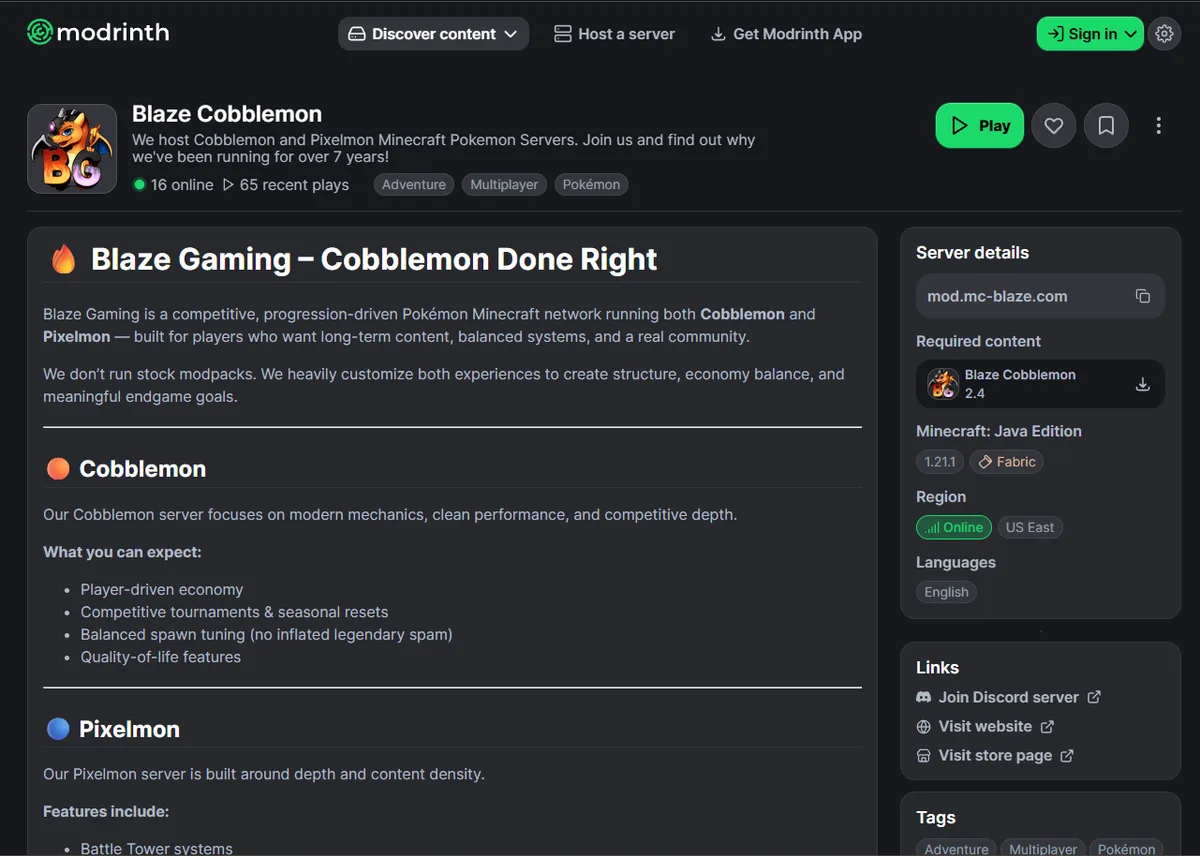
Our **Blaze Cobblemon** server listing installs the **Blaze Cobblemon** modpack **and** adds the server for you in one go.

<a href="https://modrinth.com/server/blaze-gaming" class="button primary">Play on Modrinth</a>

<div data-with-frame="true"><figure><img src="https://2752420689-files.gitbook.io/~/files/v0/b/gitbook-x-prod.appspot.com/o/spaces%2F97bxQeDEbdsPHKQYjy8g%2Fuploads%2FIArivhKcVoBrcfUX1Jen%2Fmodrinth-blaze-cobblemon.webp?alt=media" alt="The Blaze Cobblemon server on Modrinth with its Play button"><figcaption><p>The Blaze Cobblemon server on Modrinth</p></figcaption></figure></div>
{% endstep %}

{% step %}

#### Join

Once Minecraft loads, **Blaze Gaming** is waiting in **Multiplayer**. Click it and **Join**.
{% endstep %}
{% endstepper %}

### Option B: CurseForge

{% stepper %}
{% step %}

#### Download CurseForge

Download the free CurseForge app, install it, and sign in or continue as a guest.

<a href="https://www.curseforge.com/download/app" class="button secondary">Download CurseForge</a>

<div data-with-frame="true"><figure><img src="https://2752420689-files.gitbook.io/~/files/v0/b/gitbook-x-prod.appspot.com/o/spaces%2F97bxQeDEbdsPHKQYjy8g%2Fuploads%2F27niJ1WotDysm0xZ9iFQ%2Fcurseforge-download-page.png?alt=media" alt="The CurseForge app download page"><figcaption><p>Download the free CurseForge app</p></figcaption></figure></div>
{% endstep %}

{% step %}

#### Install Cobblemon Plus+

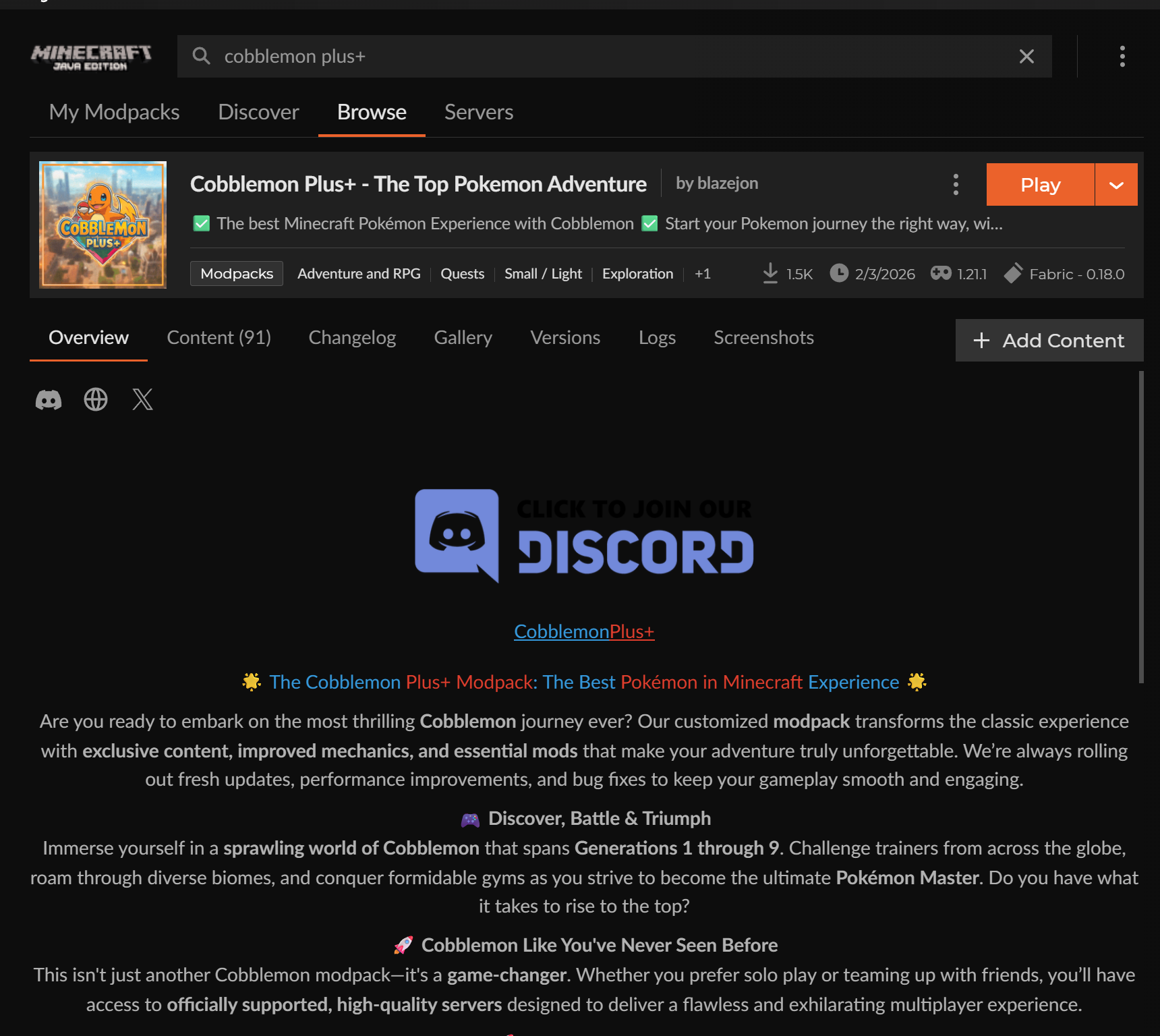
Open the modpack page with the button below, then hit **Install**. Use the button rather than searching, because other packs have similar names.

<a href="https://www.curseforge.com/minecraft/modpacks/cobblemon-plus-pack" class="button primary">Install Cobblemon Plus+</a>

<div data-with-frame="true"><figure><img src="https://2752420689-files.gitbook.io/~/files/v0/b/gitbook-x-prod.appspot.com/o/spaces%2F97bxQeDEbdsPHKQYjy8g%2Fuploads%2FPAekKhKqxpVbxHNbMmth%2Fcurseforge-cobblemon-plus.png?alt=media" alt="Cobblemon Plus+ in the CurseForge app"><figcaption><p>Cobblemon Plus+ in the CurseForge app</p></figcaption></figure></div>
{% endstep %}

{% step %}

#### Launch and join

Press **Play** in CurseForge. Once Minecraft loads, open **Multiplayer**. **Blaze Gaming** is already in your server list, so just click it and **Join**. Your one-time modpack rewards are waiting on your first join.

<div data-with-frame="true"><figure><img src="https://2752420689-files.gitbook.io/~/files/v0/b/gitbook-x-prod.appspot.com/o/spaces%2F97bxQeDEbdsPHKQYjy8g%2Fuploads%2FezVu7uXG3TokrrpFyL1b%2Fmultiplayer-cobblemon.png?alt=media" alt="Blaze Gaming in the Minecraft Multiplayer server list"><figcaption><p>Blaze Gaming is already in your Multiplayer list</p></figcaption></figure></div>
{% endstep %}
{% endstepper %}

## Troubleshooting

### Blaze isn't in my server list

Go to **Multiplayer → Add Server** and enter <code class="expression">space.vars.SERVER\_IP</code>, then hit **Done** and join. You can also connect straight to a server: Pixelmon at <code class="expression">space.vars.PIXELMON\_DIRECT\_IP</code> or Cobblemon at <code class="expression">space.vars.COBBLEMON\_DIRECT\_IP</code>.

### The server says my client is outdated, mods are missing, or "Mismatched Version(s)"

Make sure you're on the latest version of the modpack. CurseForge and the Modrinth App both show an update option on the modpack when a new version is out. Update it, then relaunch. You can check the server's current versions on [Server Information](/info-pages/server-information.md). For every common error message and its fix, see [Can't Join? Fix Pixelmon & Cobblemon Errors](/guides/fix-connection-errors.md).

### The game runs slowly or crashes while loading

Modpacks need more memory than vanilla Minecraft. In your launcher's settings, raise the memory (RAM) given to Minecraft. 4 to 6 GB is plenty for our modpacks. Then launch again. Both launchers install the right version of Java for you.

### When do I get my modpack rewards? <img src="https://2752420689-files.gitbook.io/~/files/v0/b/gitbook-x-prod.appspot.com/o/spaces%2F97bxQeDEbdsPHKQYjy8g%2Fuploads%2FXz3NM72KbC0DLdVjDQpK%2Fcurseforge.png?alt=media&amp;token=e1edc82b-13ef-4a98-9f99-bf680cc543d2" alt="Blaze Modpack Required" data-size="line">

The first time you join each server while playing with our official modpack. They're one-time rewards per server.

### Can I join without the modpack?

Yes. Any Pixelmon (NeoForge) or Cobblemon (Fabric) client on the matching version can join, but you'll miss out on our built-in resource pack and the modpack rewards. [How to Join a Pixelmon Server](/guides/how-to-join-a-pixelmon-server.md) and [How to Join a Cobblemon Server](/guides/how-to-join-a-cobblemon-server.md) cover both routes step by step.

### Can I play on Bedrock Edition?

No. Pixelmon and Cobblemon don't support Bedrock, so our servers are Java Edition only.

## Need a hand?

New to Blaze? Our beginner guides for [Pixelmon](/guides/getting-started-pixelmon.md) and [Cobblemon](/guides/getting-started-cobblemon.md) take you through your first hour and first week.

Join our Discord for support, update notifications, server announcements and community events.

<a href="https://discord.gg/blaze" class="button primary">Join our Discord</a>